

Are you tired of your Android phone’s UI or your launcher?
And if yes, then you have come to the right place.
Introduction
In Android Mobiles, you can modify anything according to your wish. And in this article, we are going to tell you how you can give a new look to your phone by using Android Launchers. And yes these launchers give you the opportunity you can modify your phone as per your wish. And let me also tell you one thing all these Android Launchers are absolutely safe. That’s why you will not have to worry that, is this launcher safe for our mobile?
What is Android Launcher?
Our Android Phones have a UI (User Interface) which is software. This Android UI is made by Google, which is full-stock Android. And the brands of the smartphone modify the software of that stock Android and install it in their smartphone accordingly and sell it to their users.
Many users do not like the UI of some smartphones, and they want to take another smartphone whose UI is different and it will be fun to use it. But they do not have enough money to buy a new phone. But they do not know that we can change the UI of our smartphone, with the help of Android Launchers.
So Android Launcher is a third-party UI that we can install on our phone and change the complete UI or look of our mobile. Which is absolutely free and we will get it on Google Playstore.
Now this question must be coming to your mind, is this app safe? So the answer is, yes these apps are absolutely safe, you have no need to worry.
So without wasting time let us tell you which Android Launchers they are…
Notice
The names of all the launchers have been given in a short form on the table below, if you want to go directly from Link, then the Link of the launchers is given on the side of the table given below, you can download it by clicking there. And if you want to know the details about all the launchers then definitely read the whole article…
| Launcher Names | Links |
|---|---|
| 1. Apex Launcher | Click Here |
| 2. Nova Launcher | Click Here |
| 3. Niagara Launcher | Click Here |
| 4. Smart Launcher 6 | Click Here |
| 5. AIO Launcher | Click Here |
| 6. Hyperion Launcher | Click Here |
| 7. Action Launcher | Click Here |
| 8. POCO Launcher | Click Here |
| 9. Customized Pixel Launcher | Click Here |
| 10. Microsoft Launcher | Click Here |
1. Apex Launcher

With a nice blend of features and performance, Apex Launcher lives up to its name as yet another top-notch Android launcher.
The option to modify the home screen grid size with up to nine screens and a scrollable dock with up to five pages are among the essential features. Even more, personalization is provided through infinite scrolling, animations during transitions, a wide variety of folder styles, and a variety of app drawer layouts.
More features, including extra gestures, more drawer settings, and theme compatibility, are unlocked in the Apex Launcher premium edition. I paid $8.99 for that download.
2. Nova Launcher

Without mentioning Nova Launcher, a discussion of the top Android launchers is incomplete. You can arrange your home screen exactly how you want it without affecting speed thanks to Nova Launcher’s quick, svelte, and highly adjustable design, which balances significant cosmetic and utility adjustments with a minimal performance impact.
There are many choices to explore, including folder settings, infinite scrolling, scrollable docks, icon packs, color themes, and endless scrolling. The Nova team is always introducing new features, such as Sesame Shortcuts, animations, and other upgrades.
The $4.99 Nova Launcher Prime edition has more features than the free download if you want the most potent ones.
3. Niagara Launcher

A minimalist Android launcher called Niagara puts your apps and alerts front and center while minimizing extraneous distractions. Your home screen will display notifications, with spam and persistent notifications being automatically filtered away. Your favorite programs are automatically surfaced in the app drawer, which also offers useful alphabetical shortcuts.
However, due to Niagara’s extreme minimalism, you shouldn’t anticipate it to include any distinctive aesthetic frills or features that you would typically find in third-party launchers. It is often updated and has a lot of potentials.
4. Smart Launcher 6
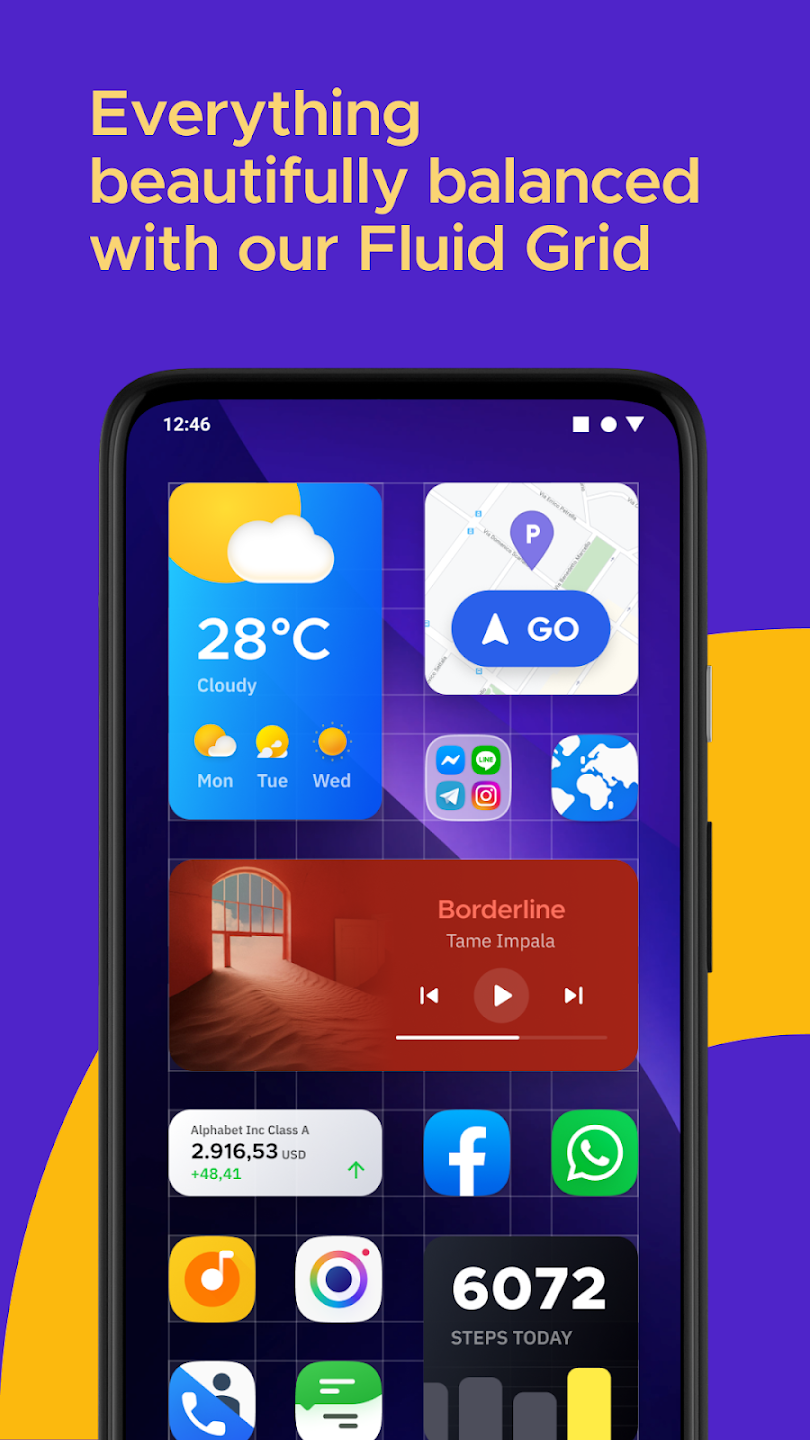
With its straightforward “flower” favorites grid and organized program folder, Smart Launcher has long been a favorite for the best Android launcher. Smart Launcher 6, the most recent version, has many new features and improvements.
The flower grid from Smart Launcher is still available, but it is now joined by a number of other thoughtful layouts made to keep your favorite apps close at hand. Smart search and an intelligently sorted and customizable app drawer also make it simple to locate anything you need, whether it is on your phone or online.
The software also includes completely resizable widgets, adaptive icons and colors, and further customizations, making it a fantastic update to a vintage launcher.
To gain access to several of those other features, like pop-up widgets and enhanced gesture controls, you must purchase Smart Launcher’s Pro edition for $7.
5. AIO Launcher
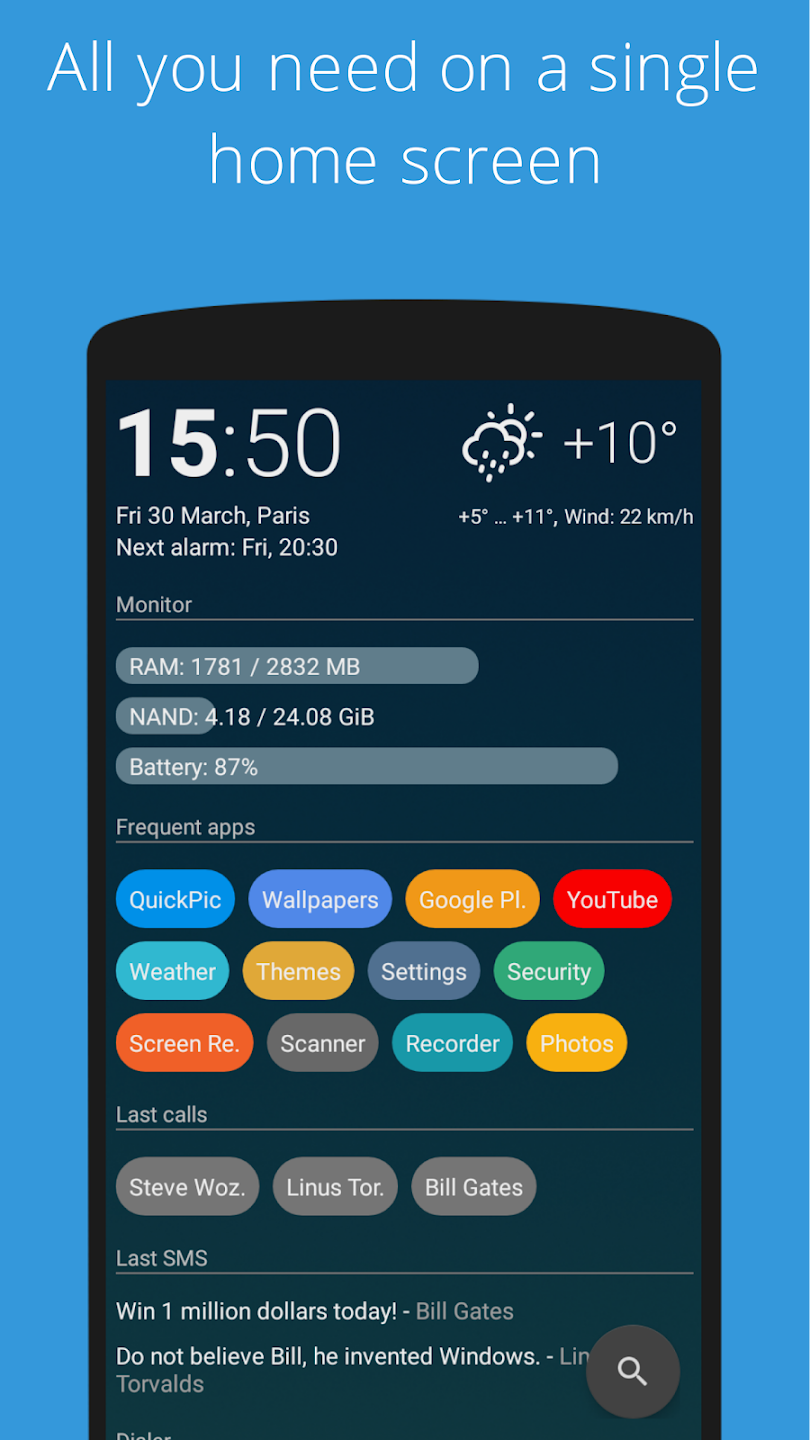
AIO Launcher is all about squeezing as much information as you can on your screen in a somewhat sparse manner, in contrast to other launchers which may give up more visual customizations.
The app shows information about your system, commonly used apps, recent calls, texts, and emails, as well as scheduled calendar events and more.
AIO Launcher is free, but in-app purchases grant access to extra features including widget support, app icons, and home screen stream alerts for Android. Although it doesn’t have the friendliest user interface among the top Android launchers, it’s still a good option if information density isn’t a deal-breaker for you.
6. Hyperion Launcher
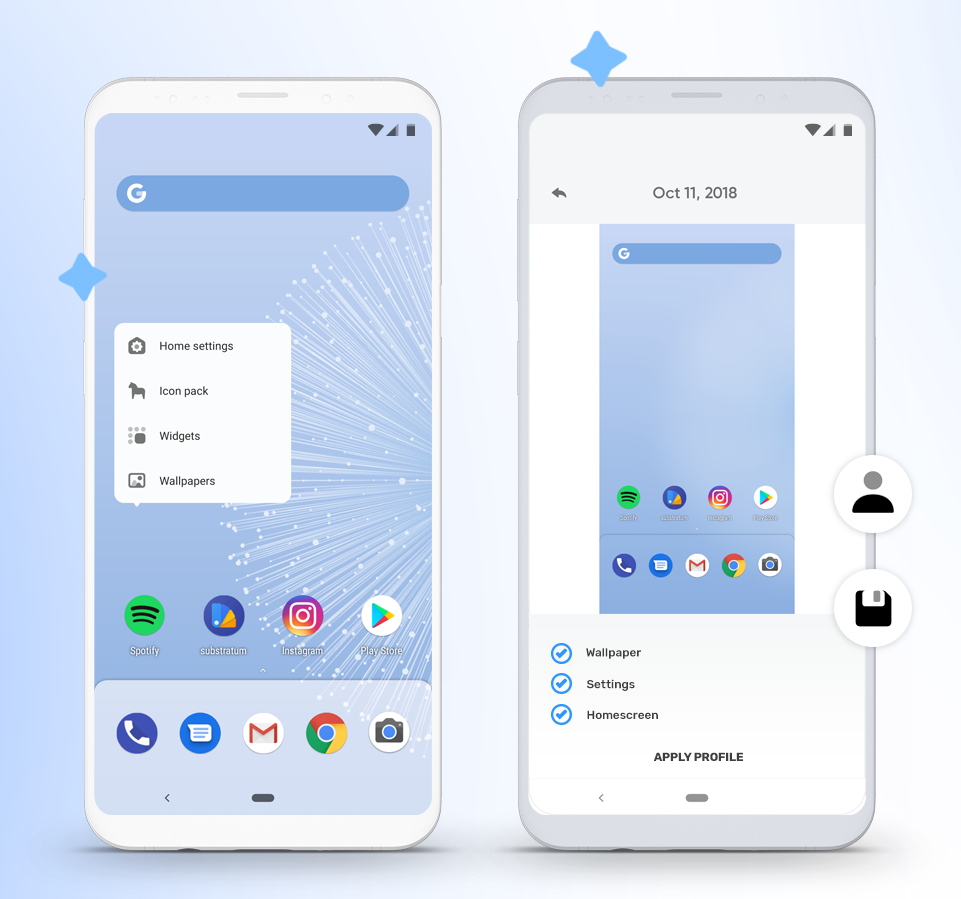
Hyperion Launcher is an incredibly configurable Android launcher program that enables you to change a wide range of settings. It is created by the same company behind the well-known Substratum theming engine as the Pixel launcher.
Users can customize a wide range of options for themes, folders, transparencies, animations, icon packs, and adaptive icons in addition to the normal wallpapers and widgets. Many of Hyperion’s features are available for free, but some, such as launcher-level font adjustments and custom gestures need an in-app purchase for the Pro edition.
7. Action Launcher

One of the first major third-party launchers to give itself a Pixel makeover was Action Launcher Pixel Edition, which combined its extensive customizability with the new UI elements and styles made available with the Pixel Launcher.
Action Launcher has an adjustable app bar, a Google search bar in the shape of a pill, and Oreo-style app shortcuts (backward compatible with Android 5). An app library and widgets are easily accessible to consumers thanks to a slide-out app drawer. Speedy access is made possible by unique motions like “covers” and “shutters.”
Action Launcher chooses the prominent colors in your wallpaper automatically and modifies the backgrounds of the app drawer, folders, and search box to match.
8. POCO Launcher
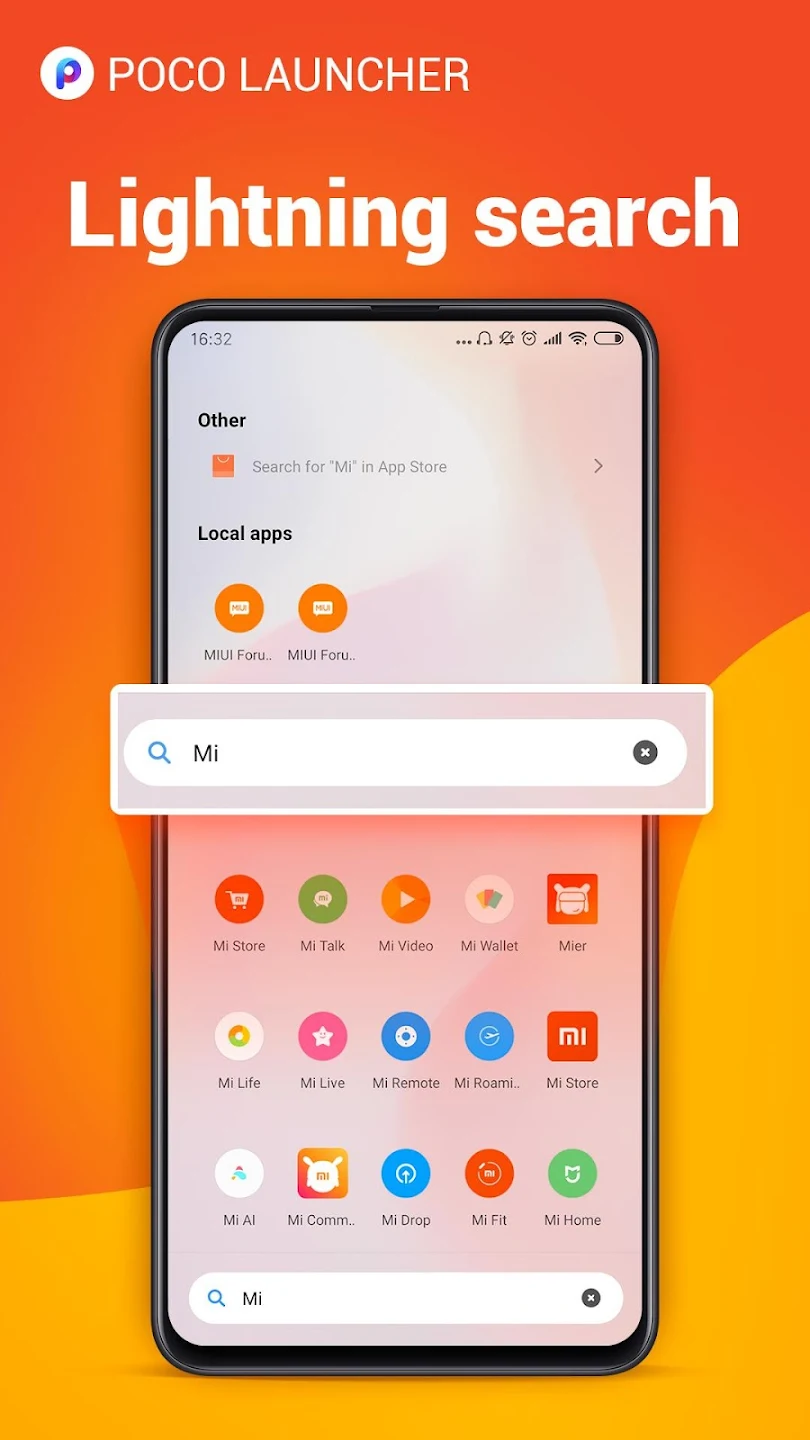
The new Xiaomi Mi 11 and other Xiaomi phones might not be widely accessible in the US, but you can download a free version of the Poco Launcher from the Google Play Store to try it out.
With an app drawer that includes clever category tabs that automatically arrange apps into categories like Communication and Photography, the Poco Launcher departs from Xiaomi’s customary design sensibilities.
The launcher provides customized notification badges, icon packs, transition effects, and screen layouts. Although it doesn’t have as many extensive customization options as other launchers, it does have a good appearance and is made to be quite simple. Dark mode support and the capability to lock your phone by pressing the screen are also recent enhancements.
9. Customized Pixel Launcher

Customized Pixel Launcher (CPL), a free app based on the Rootless Launcher project, is yet another outstanding launcher resulting from attempts to make features of the Pixel Launcher available to all Android users.
The CPL launcher has rounded borders, notification dots, and badges similar to the stock Pixel launcher, but it also supports themes, icon packs, adaptive icons, gesture controls, and font modification.
10. Microsoft Launcher

The great Arrow Launcher was renamed the Microsoft Launcher by Microsoft, which also worked to enhance the communication between your Android phone and Windows PC. Arrow’s small, context-sensitive app pages and customizable feed were retained.
Users may instantly take images with their phones and view them on their desktops. They can also access online links from their phones in Edge on their PCs or begin editing Office 365 documents on their PC and continue with their phones while they are on the road.
All of this is in addition to Microsoft’s customized gesture controls, customizable themes, and universal search bar.
Also Read:-
Mobile Full-Form | What is the Full Form Of Mobile
How To Clean Your Smartphone Without The Help Of Any Cleaner Apps
How to See Status Of Others Without Knowing Them?
Frequently Asked Questions (FAQs)
Which Launcher is Best For Android?
These Are Some Best Launchers For Your Android Smartphone…
1. Apex Launcher
2. Nova Launcher
3. Niagara Launcher
4. Smart Launcher 6
5. POCO Launcher
6. Customized Pixel Launcher
7. Microsoft Launcher
What is The Fastest Launcher For Android?
So Android Launcher is a third-party UI that we can install on our phone and change the complete UI or look of our mobile. Which is absolutely free and we will get it on Google Playstore.
Is There A Google Launcher For Android?
Google Created Their Launcher Or UI Called Android.
Do Launchers Drain Battery?
The majority of launchers don’t significantly drain your battery unless you’re running one that has live themes or graphics. These features may require a lot of resources. Therefore, bear that in mind while you choose a launcher for your phone.
Is Launchers Safe For My Android Smartphone?
The safety of launchers is superb. They provide the gadget with a tonne of customization choices. Launchers, widgets, and other features that allow for customization make Android a popular operating system. However, you are free to select any launcher you prefer.
What is The Default Launcher Of My Android Smartphone?
Default Launcher For All The Android Smartphones Are Same i.e. Google Launcher/Android. But Smartphone Brands Modify That Stock Android And Sells To Their Customers For A Better User Experience.